Microsoft Store 已上架Available on Microsoft Store · Windows / macOS / LinuxWindows / macOS / Linux

面向 SSH 与本地终端的桌面客户端A desktop client for SSH and local shells

所有会话都活在同一个窗口的标签页里——连接、传输、转发,都不离开这一块屏幕。Every session you open lives in a tab of one window — connections, transfers and tunnels without leaving the screen.

从 Microsoft Store 获取Get it on Microsoft Store 看看它能做什么See what it does
🔒 无遥测,无云端账号No telemetry, no cloud account 💾 数据只存在本机Data stays on your machine 🌐 中英双语界面English and Chinese UI
Termini
凭据系统级加密System-level encryption 密码、私钥与口令走操作系统密钥库Passwords, keys and passphrases in the OS keystore
本地 SQLite 存储Local SQLite storage 连接、分组、片段、转发规则都在本机Connections, groups, snippets and tunnels on disk
一键导出 / 导入One-click export 整个连接库备份成 JSONBack up the whole library as JSON
三平台可用Three platforms Windows、macOS 与 LinuxWindows, macOS and Linux
特性Features

一个窗口,装下你打开的所有东西One window for everything you open

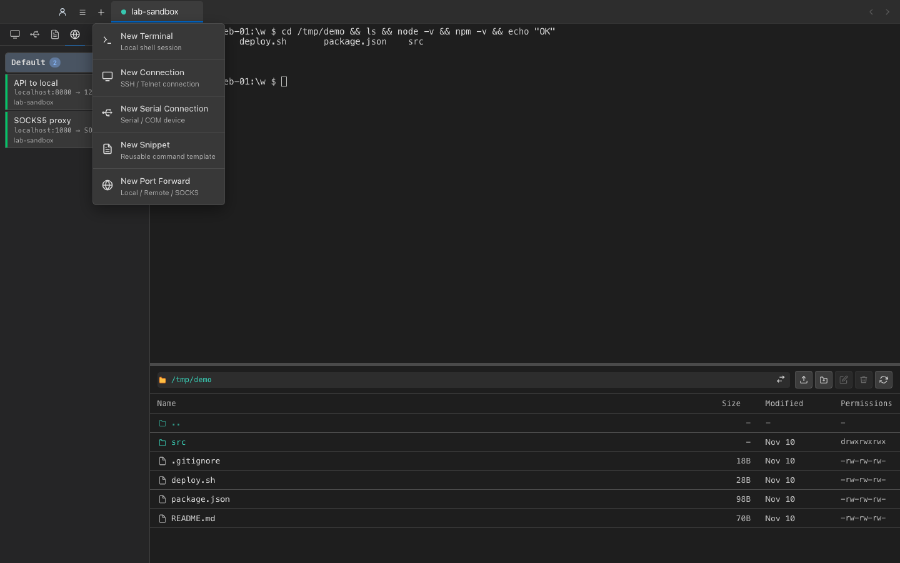
连接、终端、文件传输和端口转发并排放在同一个界面里,而不是散落在好几个工具中。Connections, terminals, file transfer and port forwarding sit next to each other instead of in separate tools.

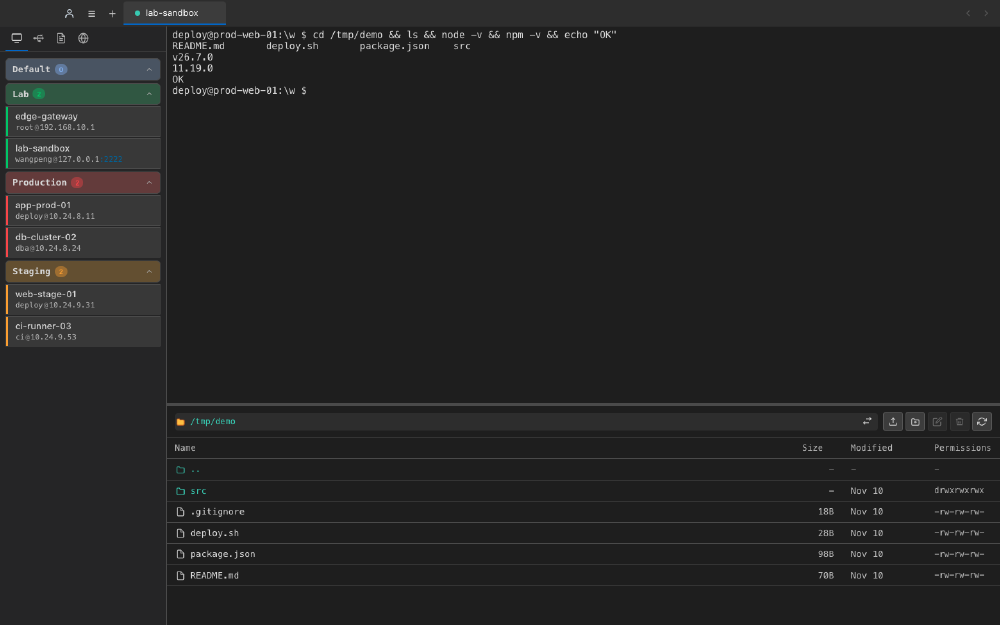
多标签会话,一屏之内Multi-tab sessions, one screen

每个连接、串口与本地 shell 都是一个标签页。标签放不下时自动出现滚动指示,悬停即可展开当前标签。Every connection, serial port and local shell gets its own tab. When they overflow, scroll indicators appear and the active tab expands on hover.

  • xterm.js 5 + WebGL 加速渲染xterm.js 5 with WebGL-accelerated rendering
  • 终端内搜索:区分大小写、全词匹配、方向可选In-terminal search: case-sensitive, whole-word, either direction
  • 会话日志:滚动缓冲写入文件Session logging: rolling buffer written to a file
Multi-tab terminal sessions

SFTP 就在手边SFTP within reach

不用另开工具。抽屉式面板带面包屑路径,列出、上传、下载、重命名、新建目录与删除都在同一块地方完成。No second tool needed. The drawer lists, uploads, downloads, renames, creates and deletes — all from the same panel with breadcrumb navigation.

  • 复用已有的 SSH 连接,无需二次认证Reuses the SSH connection you already have — no second sign-in
  • 多文件上传 / 下载,支持从桌面直接拖入Multi-file upload and download, plus drag-and-drop from the desktop
  • 路径面包屑随时回退到上层目录Breadcrumbs take you back up the tree at any time
SFTP drawer

转发与代理Forwarding and proxying

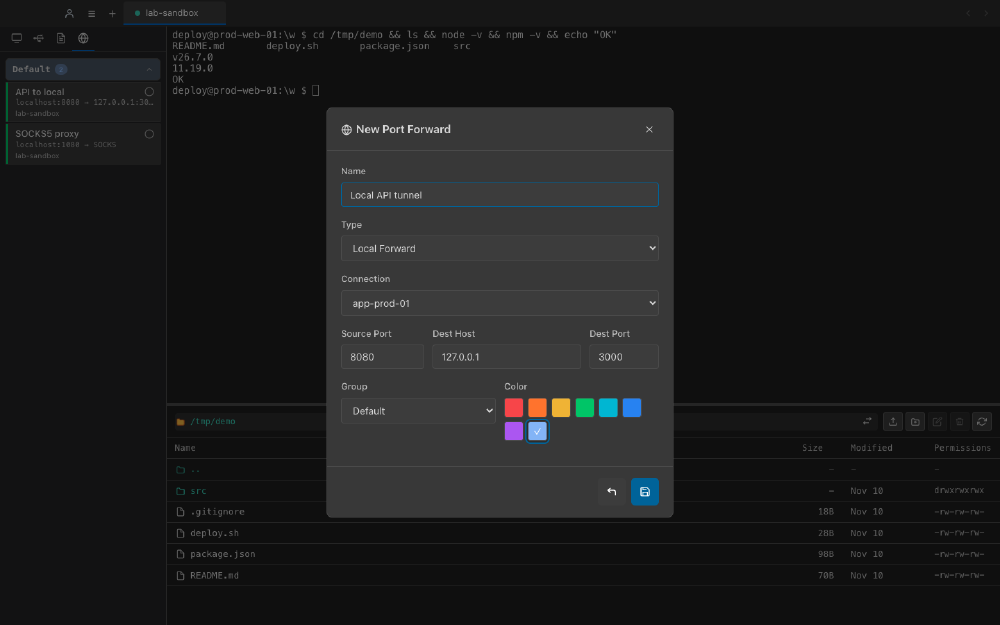
本地转发把远端服务拉到本机端口,远程转发反过来把本地服务暴露出去,动态 SOCKS5 则把整台远端机器变成一个代理出口。Local forwarding pulls a remote service onto a local port, remote forwarding does the opposite, and a dynamic SOCKS5 proxy turns the whole remote machine into an exit.

  • 三种模式:本地 / 远程 / 动态 SOCKS5Three modes: local, remote and dynamic SOCKS5
  • 规则可分组、配色、单独开关Rules can be grouped, colour-coded and toggled individually
  • SOCKS5 服务端与转发均自行实现The SOCKS5 server and the forwarding are implemented from scratch
Port forwarding

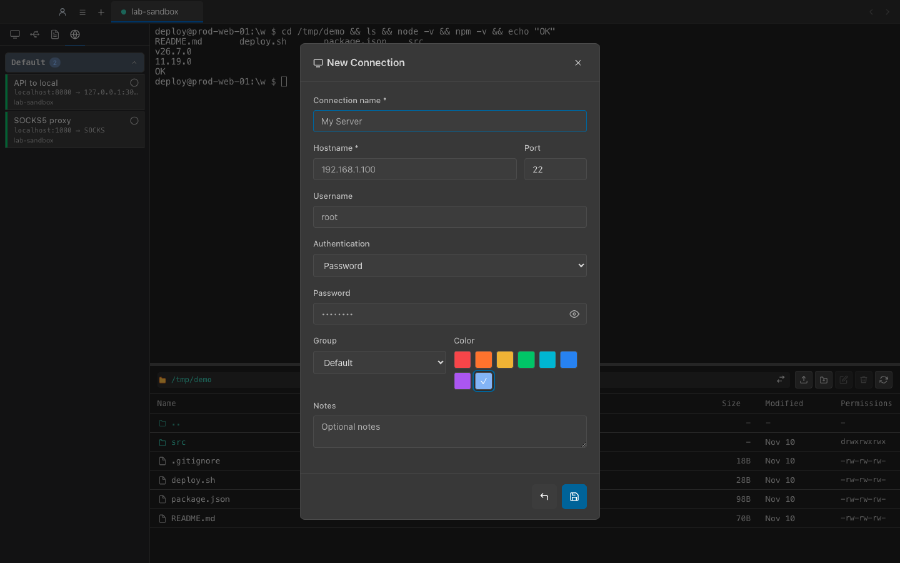
三种认证方式Three ways to authenticate

密码、私钥与 SSH agent,需要时还可以把 agent 转发给远端主机。Password, private key or SSH agent — with optional agent forwarding for the remote host.

串口与 ZMODEMSerial ports & ZMODEM

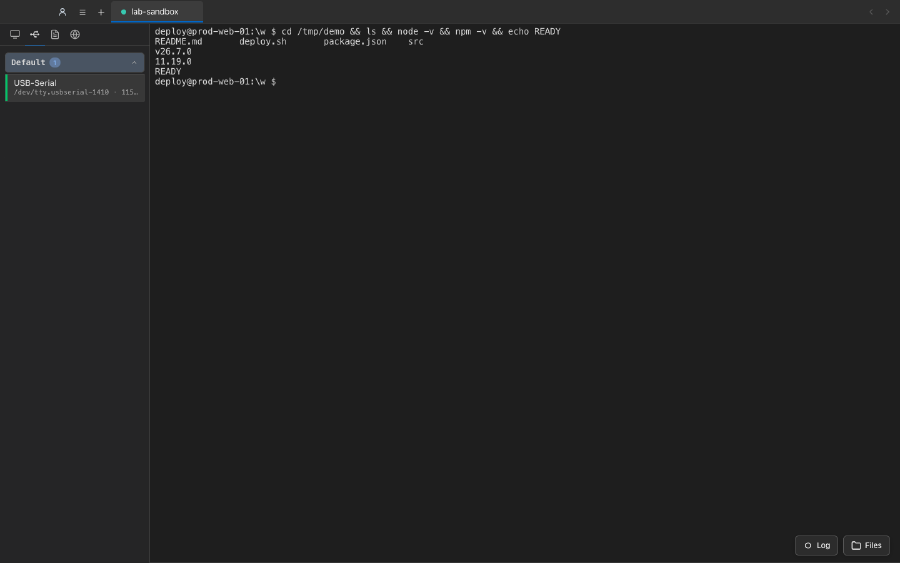
波特率、数据位、校验位与流控都可配置,ZMODEM 传输直接跑在串口链路上。Baud rate, data bits, parity and flow control are configurable, and ZMODEM transfers run right over the serial link.

命令片段Command snippets

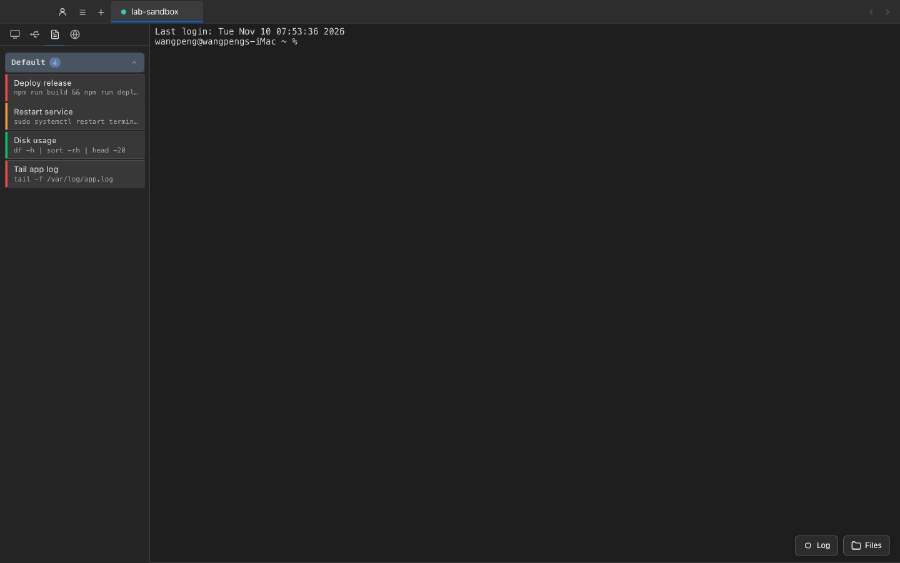
把每天都要敲的命令存成带标签的片段,一键发送到当前会话。Save the commands you type every day as labelled snippets and run them into the active session in one click.

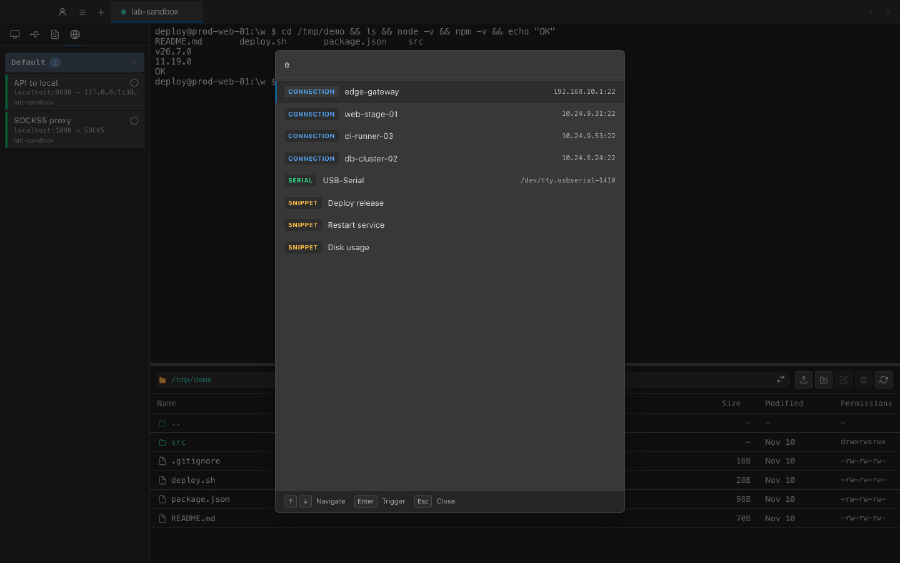
快速搜索面板Quick search palette

一个模糊搜索框,同时找连接、串口、片段与转发规则。One fuzzy palette searches connections, serial ports, snippets and tunnels at once.

凭据加密保存Encrypted credentials

密码、私钥与口令通过操作系统密钥库加密保存,整个连接库一键导出为 JSON。Passwords, private keys and passphrases are encrypted with the operating system keystore, and the whole library exports to JSON in one click.

分组与配色Groups and colours

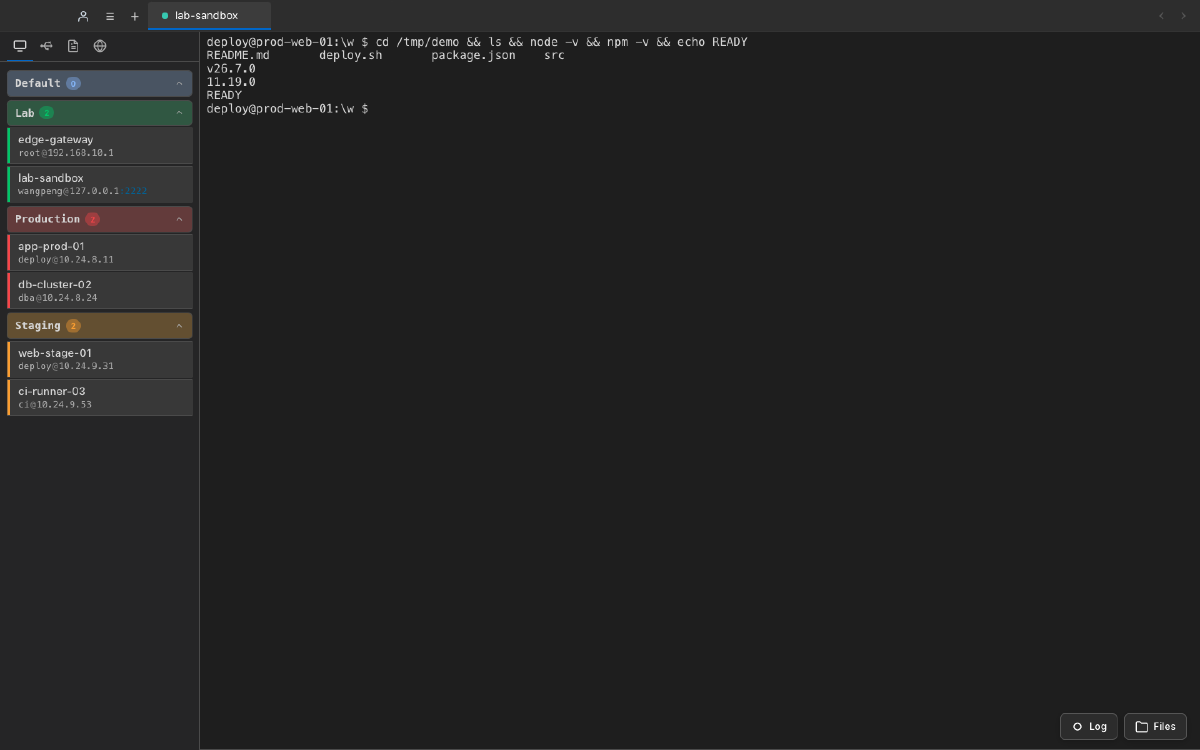
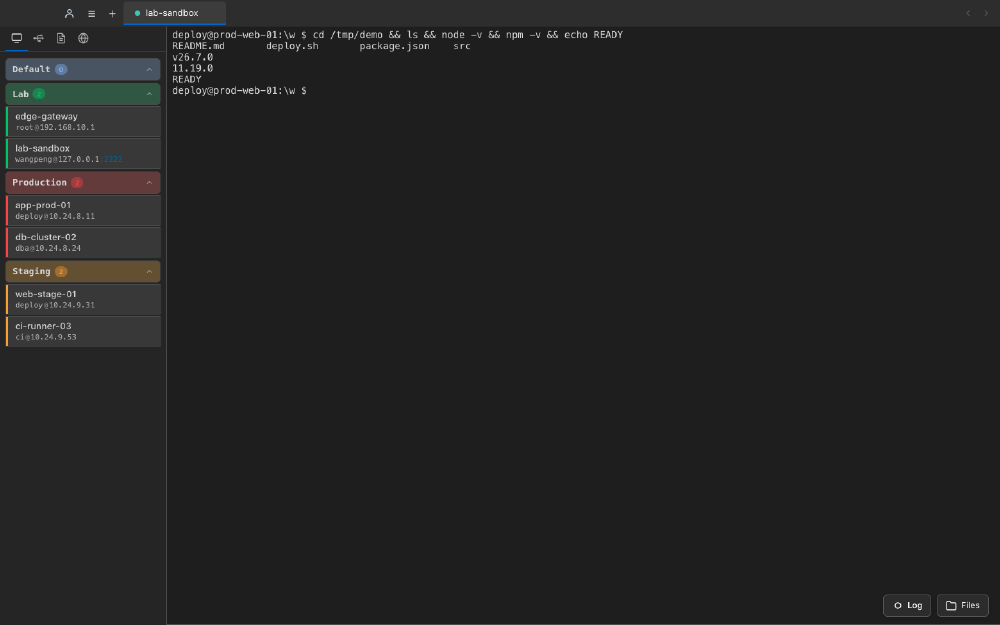
连接按分组归类、用颜色区分,右键即可编辑、复制或删除;标签页放不下时显示滚动指示。Connections are grouped and colour-coded, with right-click edit, duplicate and delete; tab overflow shows scroll indicators.
界面Screens

深色、浅色,随你切换Dark or light, your call

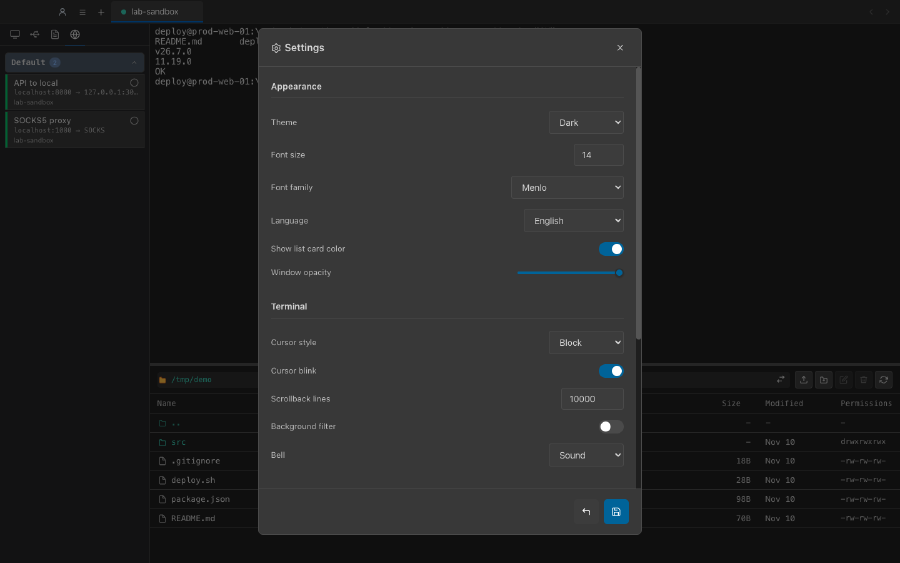
字体、字号、光标样式与滚动缓冲都能调;界面语言在中文与英文之间随时切换。Font, size, cursor style and scrollback are all adjustable, and the interface switches between Chinese and English at any time.

隐私Privacy

数据留在你本机Your data stays on your machine

连接、分组、片段、转发规则与设置全部存放在本机的 SQLite 数据库里;密码、私钥与口令经操作系统密钥库加密保存。除了你主动连接的主机之外,Termini 不与任何服务器通信。Connections, groups, snippets, tunnels and settings all live in a local SQLite database; passwords, private keys and passphrases are encrypted through the operating system keystore. Apart from the hosts you connect to yourself, Termini talks to nothing else.

可选的 GitHub 登录完全由你主动发起,令牌不会离开这台设备。The optional GitHub sign-in is user-initiated and the token never leaves the device.

遥测 / 统计Telemetry / analytics 无None
云端账号Cloud account 不需要Not required
数据存放Data storage 本机 SQLiteLocal SQLite
对外通信Outbound traffic 仅你连接的主机Only the hosts you connect to

先试起来Give it a try

微软商店版本可免费使用。Pro 是应用内单独购买的订阅,随时可以在商店里取消。The Microsoft Store build is free to use. Pro is a separate subscription you can buy inside the app, and cancel there at any time.

从 Microsoft Store 获取Get it on Microsoft Store